STL Modeling for Printing
TouchFab3D
3D CAD & Slicer
3D CAD and slicer for 3D printing, from idea to printed part without leaving your tablet.
New: turn an STL back into a parametric part, retouch it with a stylus, and add print-in-place fun parts: ball bearing, captive ball, whistle.
TouchFab3D brings together what usually takes a computer and two programs: a precise 3D CAD modeler and a slicer for FDM 3D printers. You design, export an STL or slice to G-code, and start the print. Everything is computed on your iPad, iPhone, Android device or Mac, with no account and no connection.
Model with your finger and stylus
DRAW WITH A FINGER, DIMENSION WITH THE KEYBOARD
- Sketches: lines, rectangles, circles, arcs, splines, polygons, text (56 fonts)
- Dimensions typed to the millimetre, symmetric drawing, trim, contour offset
- Extrude, revolve, loft between several sketches
- Fillets and chamfers, face offset
- ISO metric and UNC imperial threads and tapped holes
- Ready-made shapes: box, cylinder, sphere, cone, torus, tube
RETOUCH WITH A STYLUS
- Pull, push, smooth, flatten
- The stylus retouches, your fingers orbit the view
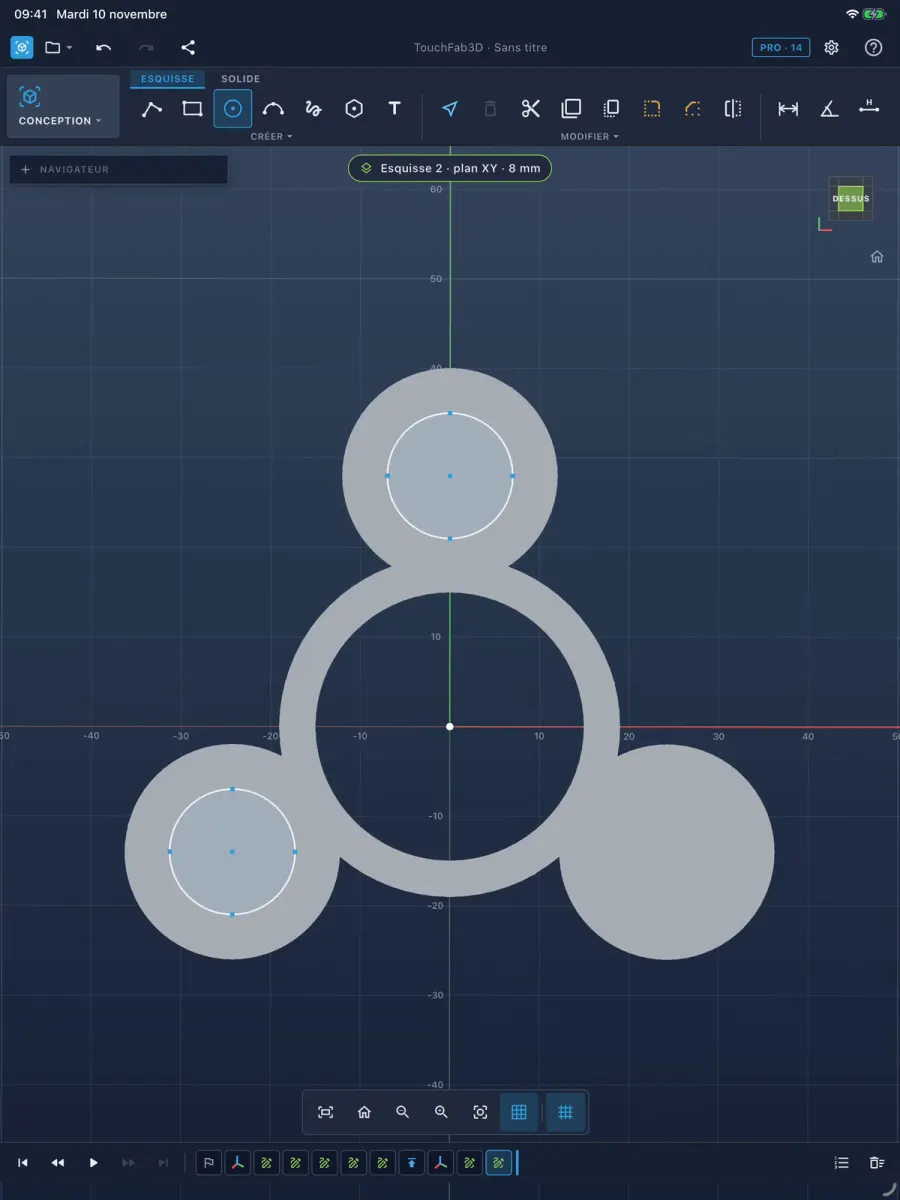
Fun parts in one tap
- Print-in-place ball bearing, balls already inside
- Captive ball inside its cube, printed in place
- Pea whistle
Each part is tuned with two or three dimensions (diameter, height, clearance).
Make an STL parametric
REWORK AN STL AS IF YOU HAD DRAWN IT
- "Make parametric": a prismatic or revolved STL becomes an adjustable part again, with its sketch
- Split a part into separate bodies
- Numbered step sheet to rebuild a part
The slicer is built in
SLICE AND 3D PRINT
- Built-in slicer: layers, walls, infill, skirt, layer-by-layer preview
- Estimated print time and filament weight
- Marlin G-code for Creality, Prusa, Elegoo, Anycubic and compatible printers
- Profiles included for the most common printers, or create your own
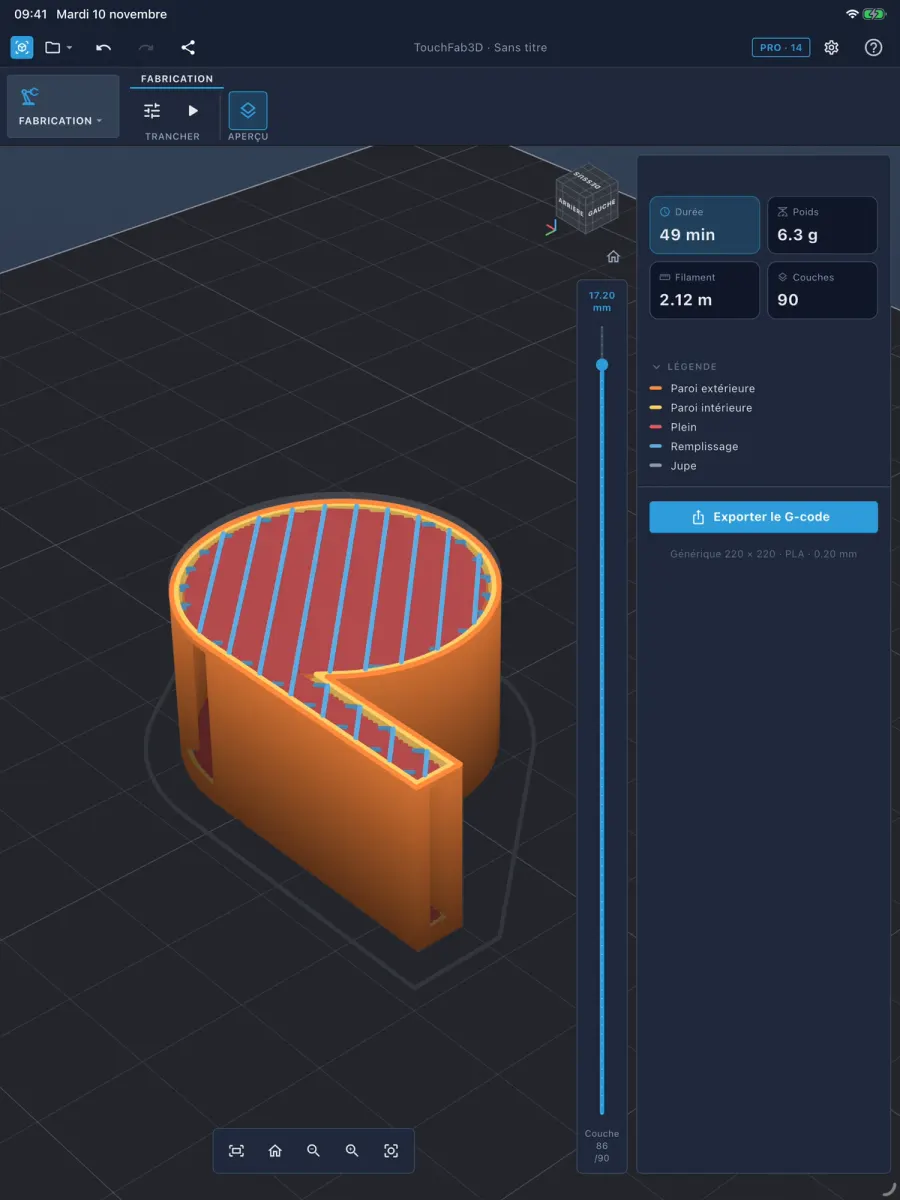
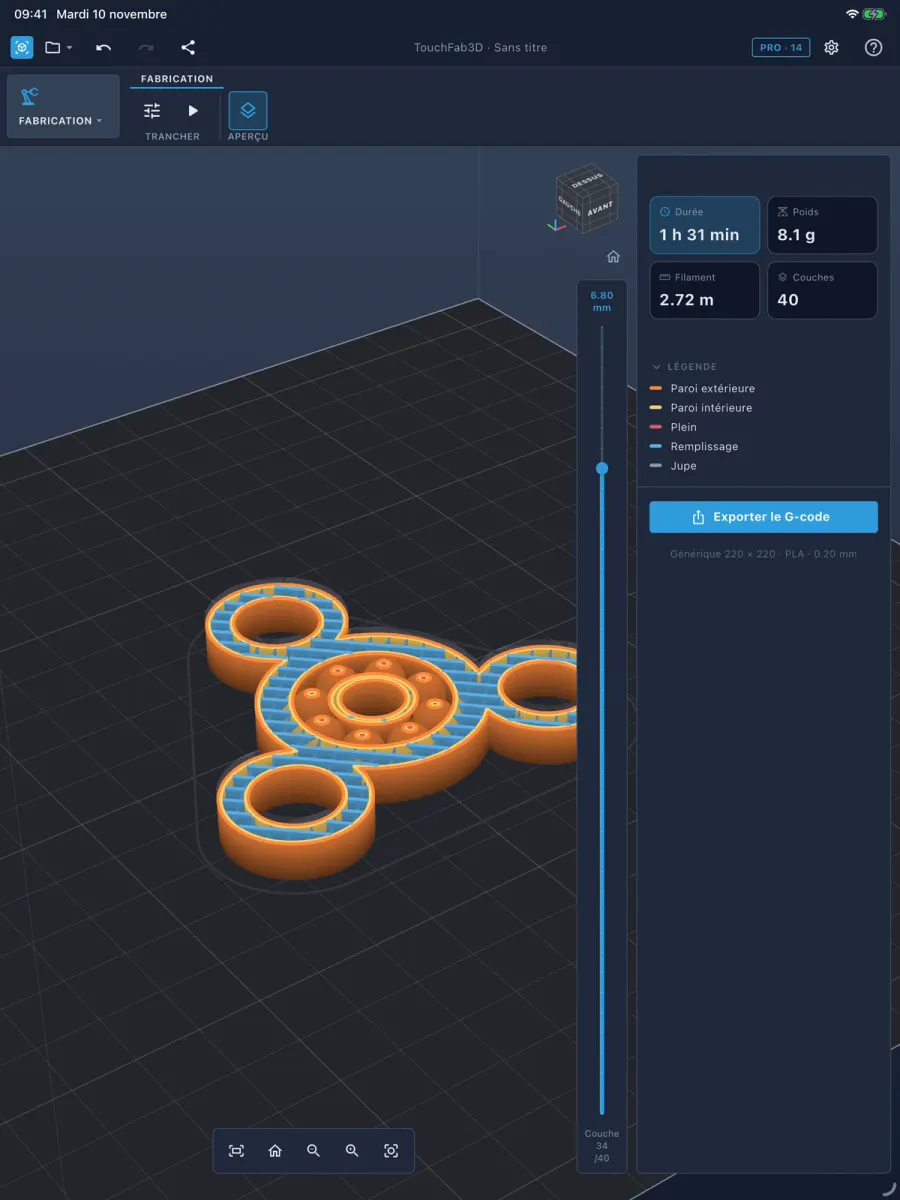
Your files, anywhere
- Open an STL from Files, an email or a USB drive: TouchFab3D is offered as an option
- Export to STL, 3MF or OBJ
- Send the file by email or save it to a USB drive plugged into the tablet
TouchFab3D Pro
- Unlimited exports: STL, 3MF, OBJ and G-code
Pro comes as a monthly or yearly subscription with a 3-day free trial, or as a lifetime purchase. Without a subscription, you get one free export.
Free for everyone, without Pro: modeling, Boolean operations, slicing, printers (including Bambu Lab, .gcode.3mf file) and printer profiles.
The price is the one shown in the store.
Who it is for
- Makers who want to design a 3D model and print it the same day
- 3D printing hobbyists who fix or adapt an STL without a computer
- Anyone who needs a 3D CAD and slicer that work fully offline
Available in 14 languages.
Frequently asked questions
Which devices does TouchFab3D run on? Do I need an account?
Everything is computed on your iPad, iPhone, Android device or Mac, with no account and no connection.
Which 3D printers does it work with?
- Marlin G-code for Creality, Prusa, Elegoo, Anycubic and compatible printers
- Profiles included for the most common printers, or create your own
Free for everyone, without Pro: modeling, Boolean operations, slicing, printers (including Bambu Lab, .gcode.3mf file) and printer profiles.
Which file formats are supported?
- Export to STL, 3MF or OBJ
- Open an STL from Files, an email or a USB drive: TouchFab3D is offered as an option
What does TouchFab3D Pro include, and what does it cost?
- Unlimited exports: STL, 3MF, OBJ and G-code
Pro comes as a monthly or yearly subscription with a 3-day free trial, or as a lifetime purchase. Without a subscription, you get one free export.
Free for everyone, without Pro: modeling, Boolean operations, slicing, printers (including Bambu Lab, .gcode.3mf file) and printer profiles.
The price is the one shown in the store.
Can I edit an existing STL?
- "Make parametric": a prismatic or revolved STL becomes an adjustable part again, with its sketch
- Split a part into separate bodies